
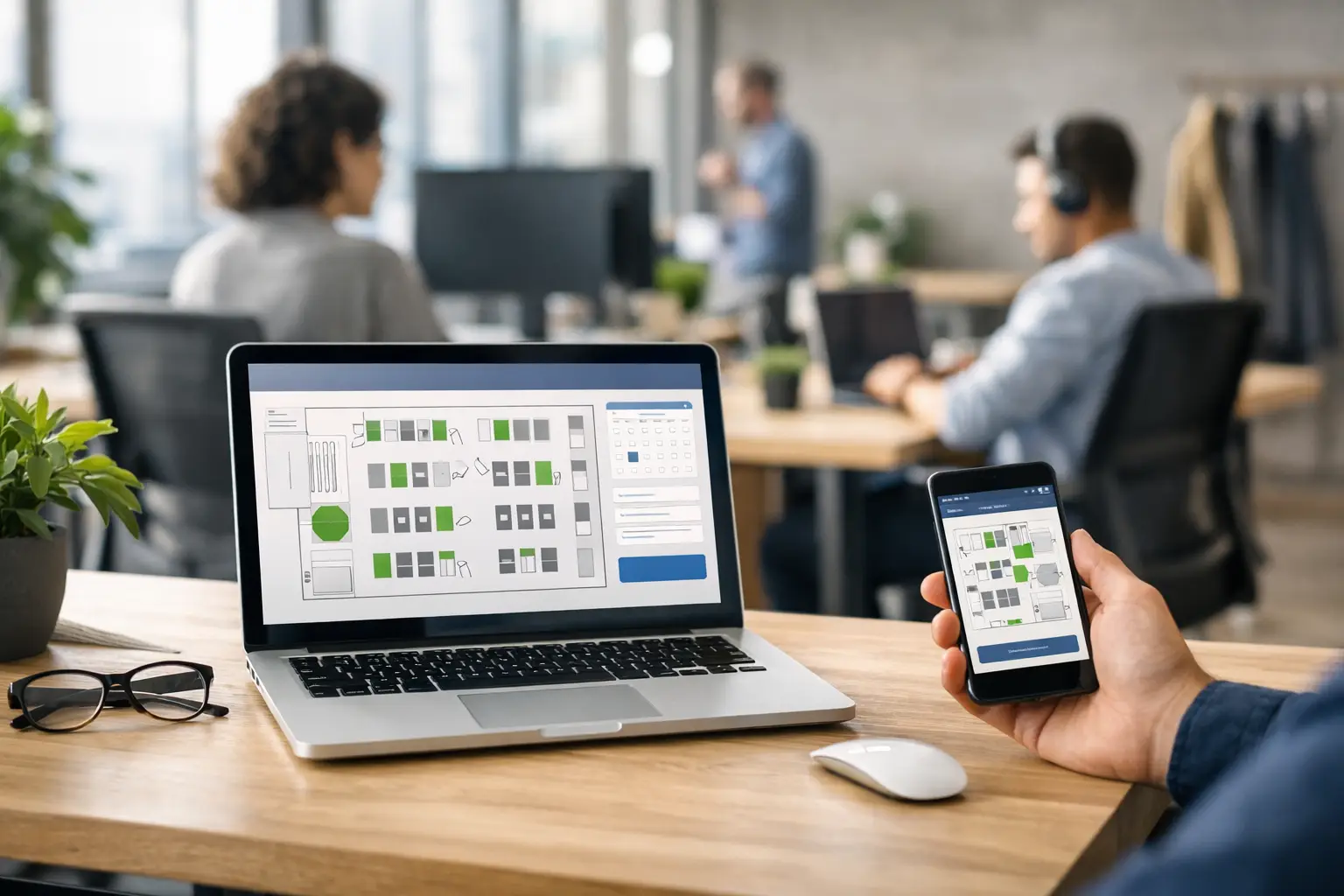
When the office is half full on Tuesday, packed on Wednesday and quiet again by Friday, guesswork stops being harmless. Desk booking software for hybrid working gives organisations a practical way to manage that variation, so employees know where to sit, teams can plan office time with more intention, and workplace leaders can make better decisions about space.
For many organisations, the issue is not simply whether people can reserve a desk. It is whether the wider workplace actually works. If staff arrive and cannot sit near their team, if neighbourhoods are overbooked while other areas sit empty, or if facilities and IT teams spend their week resolving avoidable booking problems, the office becomes harder to run than it needs to be. Good software should reduce that friction, not add another layer of administration.
What desk booking software for hybrid working needs to solve
Hybrid working has changed the role of the office. It is no longer just a place everyone attends by default. It has become a shared environment that needs to support collaboration, focused work, client meetings and team connection, often with different occupancy patterns from one day to the next.
That creates a straightforward challenge with several moving parts. Employees need confidence that a suitable desk will be available when they travel in. Managers want visibility of when teams are likely to be on site. Facilities teams need to understand utilisation by area, floor or building. IT teams need systems that are reliable, secure and easy to support. Senior stakeholders want evidence that office space is being used well.
Desk booking software sits in the middle of all of that. At its best, it helps businesses move from assumptions to live, usable workplace data. At its worst, it becomes another disconnected platform that people ignore after the first few weeks.
The difference between a booking tool and a workplace system
This is where many buying decisions go wrong. Some platforms cover the basic act of reserving a desk, but do very little beyond that. For smaller offices with simple needs, that may be enough. For larger organisations, multi-site estates or businesses trying to coordinate hybrid attendance properly, it usually is not.
A workplace system should support how people actually use the office. That means showing where colleagues are sitting, allowing teams to book together, reflecting desk types or accessibility requirements, and integrating cleanly with meeting room booking where relevant. If a user has to check one app for a desk, another for a room and a third for office attendance, adoption quickly drops.
The strongest solutions also give workplace and facilities leaders a clearer view of demand. Not every desk needs to be available to every user all the time. Some desks may belong to a team zone, a project area or a particular department. Some may need to be prioritised for accessibility, specialist equipment or visiting staff. The software should allow that level of control without making booking complicated.
What to look for in desk booking software
Ease of use matters more than feature volume. If employees need training just to reserve a desk, there is a problem. The best systems are simple enough to use on a mobile device, clear enough to understand at a glance, and flexible enough to support different user needs without becoming cluttered.
Visual floorplans are particularly useful because they mirror how people think about space. Staff do not usually want desk number B14 in isolation. They want a desk near their team, near a meeting room, close to the right facilities or on a familiar floor. A map-based booking experience removes much of the uncertainty and tends to improve uptake.
Analytics are equally important, but they need to be relevant. Occupancy and utilisation data can help organisations decide whether to reconfigure floors, adjust neighbourhoods or support attendance patterns differently. That said, data is only valuable if leaders can act on it. A dashboard full of figures is less helpful than a clear view of when demand peaks, which zones are underused and where bottlenecks keep appearing.
There is also a practical point around integration. Desk booking software should fit into the wider workplace technology environment, not sit apart from it. Calendar platforms, room booking systems, visitor management, digital signage and collaboration spaces all influence how people experience the office. If those systems do not align, the result is fragmented user journeys and more work for internal teams.
Why implementation matters as much as the platform
Even good software can underperform if the rollout is poorly handled. Hybrid working policies vary by organisation, and the booking system needs to reflect those realities. A business with three office days per week, fixed team neighbourhoods and regular client visits will need a different setup from one using a more flexible attendance model across several regional sites.
That means the project should start with operational questions, not just software features. Which staff need access to which areas? Should desks be bookable weeks in advance or only within a shorter window? Do teams need priority access to their own zones? Will certain desks remain assigned? How will no-shows be handled? These are workplace decisions as much as technical ones.
Training and communication also make a measurable difference. Employees are more likely to adopt a system when the process is obvious and the reason for change is clear. If people understand that booking helps them sit with colleagues, avoid wasted journeys and improve the office experience, they are far more likely to use it consistently.
This is where working with an experienced workplace technology partner can reduce risk. Organisations often need more than a software licence. They need the system configured properly, aligned with room booking and collaboration spaces, and introduced in a way that minimises disruption. TecInteractive’s approach is built around that wider operational picture, so the technology supports the workplace rather than complicating it.
Common trade-offs to consider
There is no single perfect setup for every organisation. Some businesses want a high degree of control, with strict booking rules and managed desk allocations. Others prefer a lighter-touch model that gives staff more freedom. Neither approach is automatically right. It depends on office culture, occupancy levels and how much variation exists between teams.
The same applies to data. Detailed reporting can help with estate planning and workplace strategy, but organisations also need to balance insight with simplicity. If the system becomes too rule-heavy in pursuit of perfect data, employees may find workarounds or stop engaging with it. The goal is useful oversight, not unnecessary complexity.
Another trade-off sits between standardisation and local needs. A multi-site organisation may benefit from common booking rules and a consistent user experience. At the same time, different offices often serve different purposes. Headquarters, regional hubs and specialist sites may each need slightly different desk types, permissions or workflows. Good software can accommodate that without turning administration into a burden.
How desk booking supports better workplace decisions
One of the strongest arguments for desk booking software is that it improves planning beyond day-to-day reservations. Over time, organisations gain a more accurate picture of how their space is really being used. That can inform property decisions, refurbishment plans and investment in collaboration areas, meeting rooms or support spaces.
It can also reveal patterns that are not obvious from observation alone. A floor may look busy on certain days, yet still contain poorly used zones. Teams may prefer to sit together in areas that were not originally intended for them. Demand for quiet desks may rise while other workstation types remain underused. These are practical insights that can shape better workplace design.
For IT and facilities teams, that visibility supports a more proactive approach. Instead of responding to complaints about availability, layout or booking confusion, they can identify issues earlier and adjust the environment based on evidence. That tends to improve user satisfaction while reducing avoidable support effort.
Choosing software that employees will actually use
The final test is simple. Will people use it without being chased? If the answer is no, the platform is unlikely to deliver the value the business expects.
That is why usability, policy alignment and workplace integration matter so much. Employees should be able to book quickly, understand where they are sitting, and trust that the system reflects the reality of the office. Managers should be able to coordinate team days without resorting to spreadsheets. Facilities and IT should have confidence in the data and the day-to-day reliability of the platform.
Desk booking software for hybrid working is not just about managing desks. It is about making the office easier to use, easier to support and easier to plan. When chosen and implemented well, it gives organisations a clearer route to a workplace that feels intentional rather than improvised.
If hybrid working is here to stay, the office needs systems that keep pace with how people actually use it.