
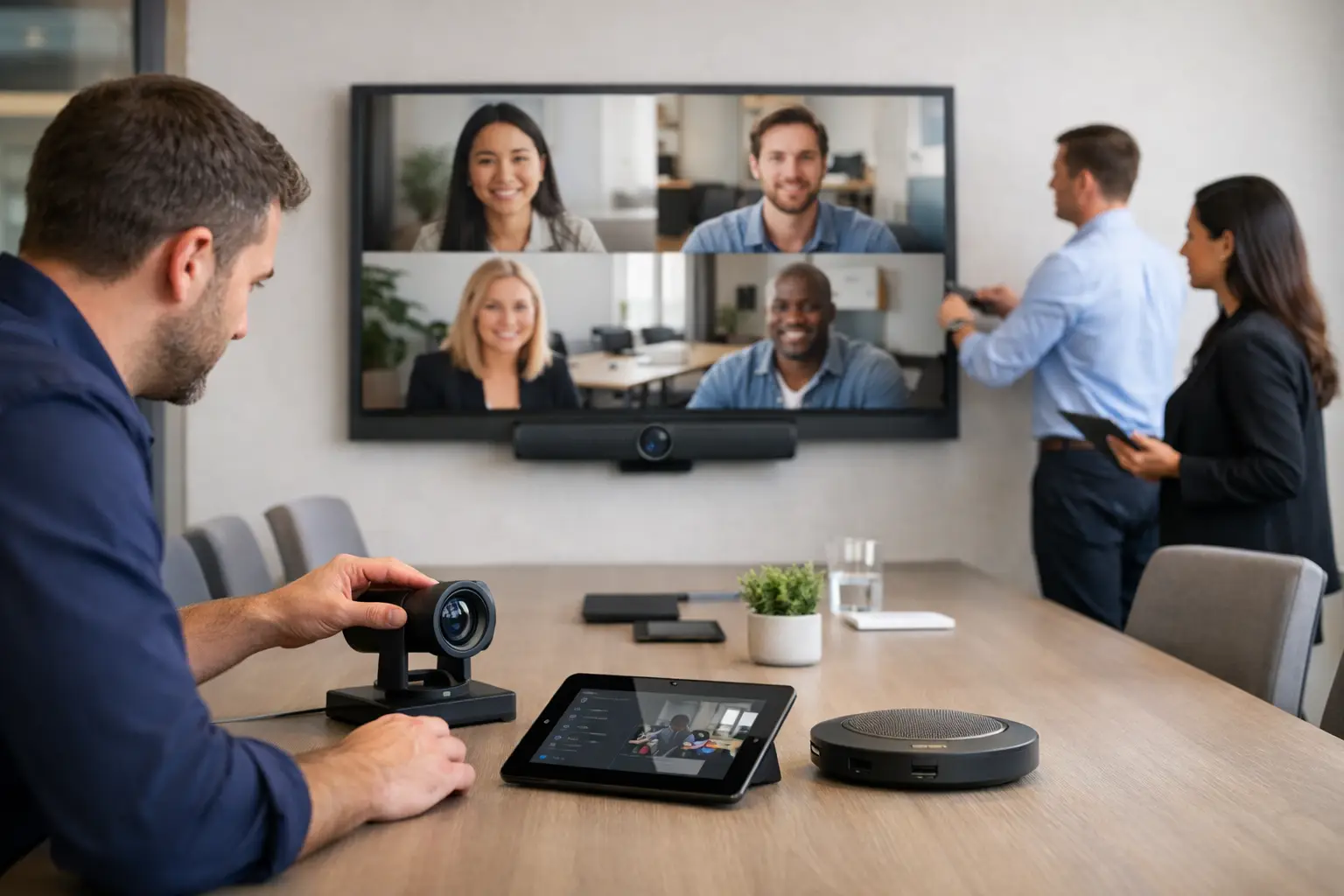
A meeting starts at 9.00, but by 9.07 someone is still looking for the right cable, the camera is pointing at the ceiling, and remote participants cannot hear the room properly. For many organisations, that is the real cost of poor collaboration technology. A professional zoom rooms setup service is designed to prevent exactly that kind of friction – not just by installing equipment, but by making sure the room works for the people using it.
Zoom Rooms can be highly effective when they are planned properly. They support hybrid meetings, simplify joining calls, and create a more consistent user experience across different spaces. The problem is that buying the hardware is only one part of the job. Room size, acoustics, display placement, cable management, network readiness, control options and user training all shape whether the finished space feels effortless or frustrating.
What a zoom rooms setup service should actually cover
A proper service begins well before installation day. The first step is understanding how each room will be used. A six-person huddle room has very different requirements from a boardroom, training suite or divisible meeting space. If the brief starts and ends with a list of devices, the result often looks fine on paper but performs poorly in practice.
Good design work looks at the physical environment as closely as the platform itself. Camera position affects eye line. Table layout affects microphone pickup. Glare on displays affects readability. Even small details, such as whether users can enter a room and start a meeting without touching multiple controls, make a visible difference to adoption.
A dependable Zoom Rooms setup service should therefore include consultation, room assessment, system design, installation, testing and handover. In many cases, it should also include training and ongoing support. That matters because meeting room technology is not static. Rooms get reconfigured, teams grow, software changes, and expectations shift as hybrid working becomes part of normal operations.
Why DIY setups often create bigger operational problems
It can be tempting to ask internal IT to assemble a Zoom Room from individual components. For simple spaces, that may work. But once organisations start standardising rooms across a floor, building or estate, the pressure on internal teams increases quickly.
The challenge is not only technical compatibility. It is consistency. If one room uses a different control method, another has inconsistent audio, and a third requires a different join process, users lose confidence. They stop trusting the room and start bringing their own workarounds. That usually means more support tickets, more wasted meeting time and a poorer experience for both in-person and remote attendees.
There is also the issue of accountability. When equipment, installation, configuration and support are split across multiple suppliers, fault resolution becomes slower. A single service partner provides clearer ownership, which is particularly valuable for organisations that need rooms available every day and cannot afford avoidable downtime.
The practical decisions that shape room performance
Zoom Rooms are often discussed as if they are a software decision. In reality, room performance is determined by a series of practical choices.
Audio is usually the first. If people at the far end struggle to hear clearly, the room fails regardless of how good the display looks. In smaller rooms, an all-in-one video bar may be enough. In larger spaces, you may need dedicated microphones, separate loudspeakers and more careful tuning. There is no universal answer, because furniture, ceiling height and room surfaces all affect results.
Camera choice is another area where context matters. Auto-framing and speaker tracking can improve the experience significantly, especially in hybrid meetings where remote participants need to follow the conversation naturally. But these features only work well when camera placement and room layout are considered properly. A poorly positioned premium camera can still underperform.
Control and usability also deserve more attention than they often get. The best meeting room is not the one with the longest specification sheet. It is the one people can walk into and use confidently. That typically means a straightforward touch interface, predictable room behaviour and minimal need for workarounds. If staff need a briefing every time they use the room, the setup is too complicated.
Planning Zoom Rooms across different workplace types
Small rooms and huddle spaces
In compact spaces, the priority is usually simplicity. Users want to walk in, press join and get started. These rooms often benefit from integrated devices that combine camera, microphones and speakers in one unit. That can reduce clutter and speed up deployment, but only if the device is suited to the room dimensions and seating arrangement.
Medium meeting rooms
These rooms tend to expose the limits of basic kits. Audio pickup becomes more variable, display size matters more, and the positioning of participants can be less predictable. This is where tailored design starts to show clear value. A medium room may look standard, but a glass wall, long table or awkward power layout can all change the right approach.
Boardrooms and larger collaboration spaces
For executive rooms, training areas and larger meeting environments, expectations are higher. The system needs to feel polished, reliable and appropriate to the importance of the space. That often means more sophisticated audio design, multiple displays, cleaner integration and greater attention to furniture and architectural constraints. It may also involve adding wireless presentation, room booking, or integration with wider workplace systems.
Installation is only part of the outcome
A well-installed system should look tidy, but appearance is not the main goal. The real measure is whether the room performs reliably under everyday conditions. That is why commissioning and testing are so important.
Before handover, each room should be checked for camera framing, microphone coverage, speaker levels, display visibility, control responsiveness and network stability. It should also be tested in the way people will actually use it, not just under ideal conditions. That includes joining meetings quickly, sharing content, switching between users and confirming that remote participants receive a clear experience.
Training also matters more than many buyers expect. Even simple rooms benefit from a short, well-structured introduction for key users and support teams. This helps avoid the familiar pattern where a technically sound system is underused because staff are uncertain about how it works.
What to look for in a Zoom Rooms setup partner
Not every provider approaches Zoom Rooms in the same way. Some focus on product supply. Others can install equipment but provide limited strategic guidance. For organisations investing in meeting spaces as part of a wider workplace strategy, that gap matters.
A strong partner should start with operational needs, not just kit lists. They should be able to explain what is appropriate for each room type, where standardisation makes sense, and where a bespoke approach is justified. They should also understand the wider pressures around hybrid working, estate performance, user adoption and support capacity.
It is worth asking how they handle design, deployment and post-installation support. If an issue arises after handover, who owns it? If you expand to more rooms or sites, can the same standard be maintained? These questions are often more important than marginal hardware differences.
For many UK organisations, the best results come from working with a specialist that can assess workplace needs, deliver the physical installation with minimal disruption, and remain involved once the room is live. That is where a provider such as TecInteractive adds value – not simply by fitting equipment, but by creating spaces that people can rely on.
Zoom Rooms setup service and long-term workplace value
The business case for a professionally delivered Zoom Room is not only about video conferencing. It is about reducing wasted meeting time, supporting hybrid collaboration, easing pressure on internal IT and making office space work harder.
When rooms are easy to use, people use them more confidently. Meetings start on time. Remote colleagues can participate properly. Support requests reduce because the technology behaves as expected. Across multiple rooms and multiple teams, those gains become operational rather than incidental.
There are trade-offs, of course. Not every room needs a premium specification, and overspending on rarely used spaces is just as unhelpful as underinvesting in critical ones. The right approach is usually a balanced one – standardise where it improves consistency, tailor where room conditions demand it, and keep the user experience at the centre of every decision.
If you are considering a Zoom Room for one space or a full workplace rollout, the key question is not which devices to buy first. It is how the room should work for the people who rely on it. Get that right, and the technology stops being a meeting obstacle and starts doing the job it was meant to do.