
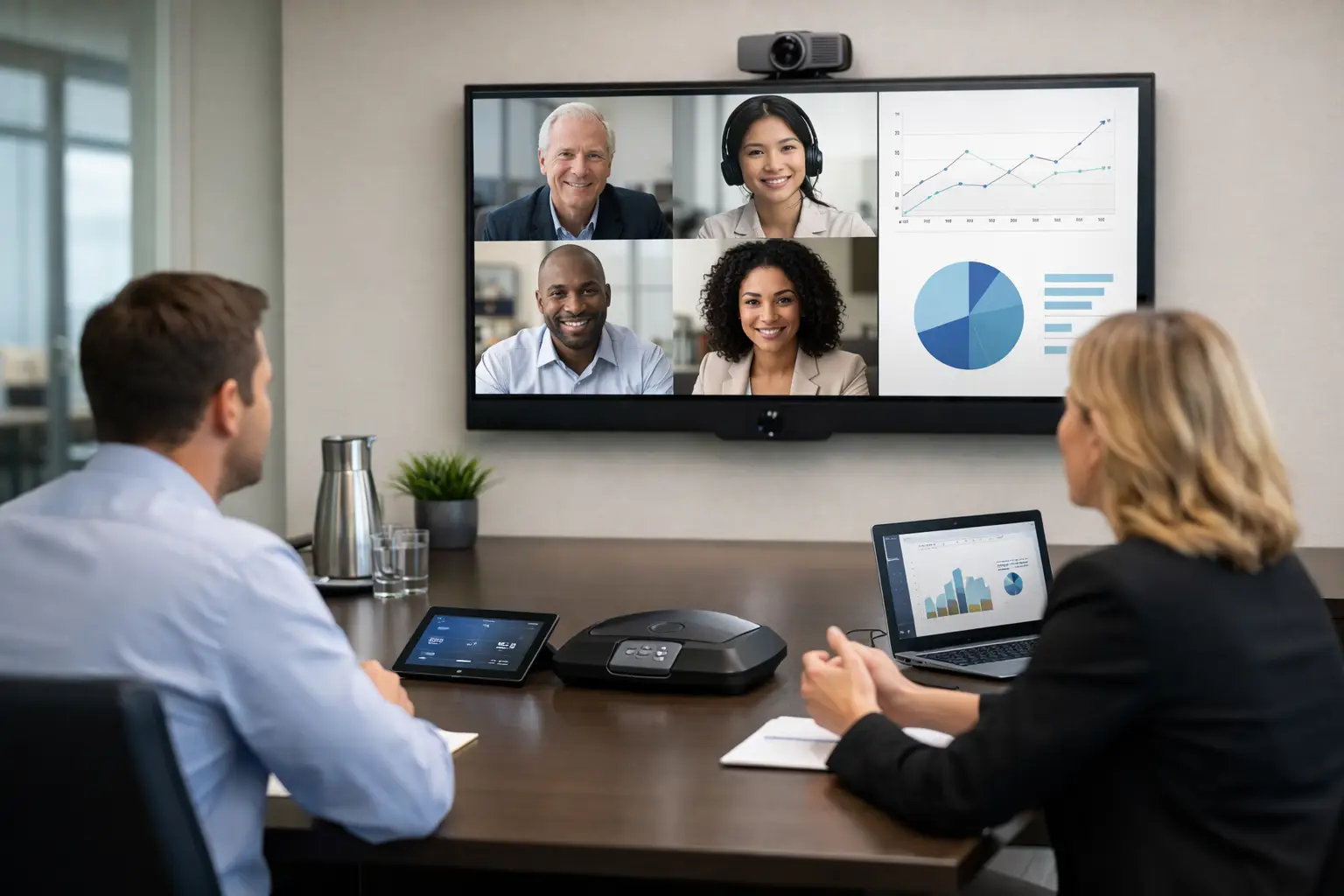
A meeting that begins with five minutes of cable swapping, remote-control hunting and repeated calls of “can you hear us?” costs more than time. It undermines confidence in the office and creates avoidable pressure for IT and facilities teams. Knowing how to plan meeting room technology properly means designing around the way people actually meet, rather than filling rooms with equipment that looks capable on a specification sheet.
For most organisations, the objective is straightforward: staff should be able to enter a room, start or join a call quickly, share content clearly and leave without needing specialist support. Reaching that outcome requires decisions about users, room types, platforms, acoustics, network readiness and long-term support before any hardware is selected.
Start with meeting behaviour, not the equipment list
Technology planning should begin by understanding what happens in each space. A six-person project room used for short internal video calls has very different requirements from a boardroom hosting client presentations, or a training room that needs to support 40 people in person and online.
Review how often rooms are used, how many participants typically attend, whether meetings include remote attendees, and which platforms teams rely on. Microsoft Teams, Zoom and Google Meet environments can all be supported effectively, but the room experience must suit the organisation’s chosen workflow. A room that requires users to connect a laptop every time may be appropriate in a flexible space. In a heavily used executive meeting room, a dedicated video conferencing system will usually deliver a more consistent experience.
It is also worth speaking to reception, facilities, IT and regular room users. They often identify the practical issues that floorplans and utilisation reports miss: glare on the display at a particular time of day, poor audio at the far end of a table, or a room that is frequently booked but avoided because nobody trusts the technology.
Define room standards, then allow for exceptions
Consistency reduces friction. When employees can walk into different offices and find familiar controls, a familiar joining process and predictable content sharing, adoption improves and support requests fall. This matters particularly for multi-site organisations, where inconsistent meeting room technology can create a different user experience in every location.
A useful approach is to develop a small number of room standards. For example, a huddle space may have a compact all-in-one video bar and a single display; a medium meeting room may need a larger display, dedicated room system and better microphone coverage; a boardroom may require multiple cameras, ceiling microphones, wireless presentation and integrated room control.
Standards should not force identical systems into every room. Room geometry, natural light, furniture layout and intended use can justify a different design. The aim is a consistent experience, not identical equipment. A well-planned standard also makes replacement, support and future expansion more manageable.
Plan meeting room technology around the whole experience
The display is often the most visible decision, but it is only one part of the system. Users judge the room by whether they can see, hear and be heard, start a meeting without delay, and get help when something goes wrong.
Make audio the first technical priority
Poor audio is more damaging to hybrid collaboration than an imperfect image. Remote participants can tolerate a slightly less polished camera view, but they cannot contribute effectively if speech is unclear, distant or interrupted by echo.
Consider table size, ceiling height, surface materials and the number of speakers likely to be in the room. Small rooms may work well with an integrated video bar. Larger rooms may need expansion microphones, table microphones or ceiling microphone arrays to ensure everyone is captured clearly. Speaker placement should also be designed to give remote voices a natural presence in the room, without causing feedback.
Acoustics deserve equal attention. Hard walls, glass partitions and exposed ceilings can make even good equipment sound poor. Acoustic treatment, suitable furnishings and thoughtful microphone placement may deliver more value than simply choosing a more expensive audio device.
Choose camera coverage for natural participation
A camera should frame people, not empty furniture. In a small space, a wide-angle camera can work well, although excessive width can make participants appear distant. In larger rooms, intelligent cameras that frame the group, track a presenter or identify active speakers can improve the remote experience.
Camera choice depends on meeting style. A boardroom where participants speak from fixed positions needs different coverage from a training space with a presenter moving around the room. Where privacy or user preference is a concern, clear policies and physical camera shutters can help build trust.
Size displays for the room, not the catalogue
Display size should reflect viewing distance, room layout and the type of content being shared. A screen that is adequate for video calls may be too small for spreadsheets, technical drawings or detailed presentations. In larger rooms, dual displays can be valuable: one for remote participants and one for shared content.
Brightness and glare are also practical considerations. A display positioned opposite windows may look excellent in a showroom but perform poorly on a sunny afternoon. Site surveys should assess light levels, sightlines, mounting positions and whether window treatments are needed.
Design the joining and sharing journey
The best room systems reduce the number of choices users must make. A clearly labelled touch panel that shows the day’s meetings and offers a single join action is easier to use than a collection of remotes, adapters and instructions taped to the wall.
Decide whether rooms will run in a dedicated platform mode, support bring-your-own-device meetings, or combine both. Dedicated room systems offer a reliable, familiar experience for scheduled meetings. BYOD support gives visitors and teams using different platforms more flexibility. A hybrid approach can be sensible, but only when the switching process is obvious and does not create a support burden.
Wireless sharing is convenient, but it should be planned with security, network performance and guest access in mind. Wired USB-C or HDMI connections remain useful as a dependable fallback, especially for presentations where the cost of a failed connection is high. The right balance depends on the user group and the importance of each space.
Account for infrastructure before installation begins
Meeting room technology is affected by the building as much as by the equipment. Power locations, cable routes, network capacity, Wi-Fi coverage, ventilation, mounting surfaces and furniture all influence what can be installed and how reliable it will be.
Network teams should be involved early. Video conferencing devices need appropriate connectivity, security controls and management access. Wireless presentation tools and room booking systems also depend on dependable network performance. Leaving these discussions until late in the project can lead to compromises, delays and visible cabling that no one intended.
Room booking is another consideration where technology and workplace operations meet. Booking panels can improve visibility of available spaces and reduce no-shows, but their value depends on accurate calendars and clear policies. In busy offices, occupancy sensors can provide useful insight into whether rooms are being used as booked and whether the current mix of spaces is right.
Build support, management and training into the plan
A meeting room is not finished when the installation team leaves. Devices need monitoring, software updates, account management and a clear route for users to get help. Without this operational plan, even well-designed rooms can gradually become unreliable.
Specify who owns first-line support, how faults will be logged, which issues can be resolved remotely and what response is expected for room-critical failures. Remote monitoring can identify offline devices, failed peripherals and recurring issues before they disrupt a high-value meeting. For internal IT teams already managing a wide estate, this reduces the day-to-day burden considerably.
Training should be practical and proportionate. Most users do not need a technical briefing; they need to know how to join, share and get assistance. Room champions, concise on-screen guidance and handover sessions for support teams help ensure that the intended experience survives beyond launch day.
Use pilots and feedback to refine the standard
If an organisation is planning a large refurbishment or multi-site rollout, begin with representative pilot rooms. Test them with real meetings, including external guests, hybrid workshops and presentations. Technical testing alone will not reveal every point of confusion.
Gather feedback on audio quality, camera framing, ease of joining, sharing methods and room controls. Look for patterns rather than reacting to every individual preference. If several users struggle to find the right input or report that remote participants sound quiet, the design needs adjustment before it is replicated.
A specialist partner can bring the consultation, system design, installation, user training and ongoing support into one accountable delivery model. TecInteractive approaches meeting room projects with that wider operational picture in mind, helping organisations create spaces that work reliably for users as well as the teams responsible for them.
The strongest meeting rooms rarely attract attention because the technology is invisible to the meeting itself. Plan for that standard from the outset, and the office becomes a more dependable place for people to make decisions, share ideas and work together.