
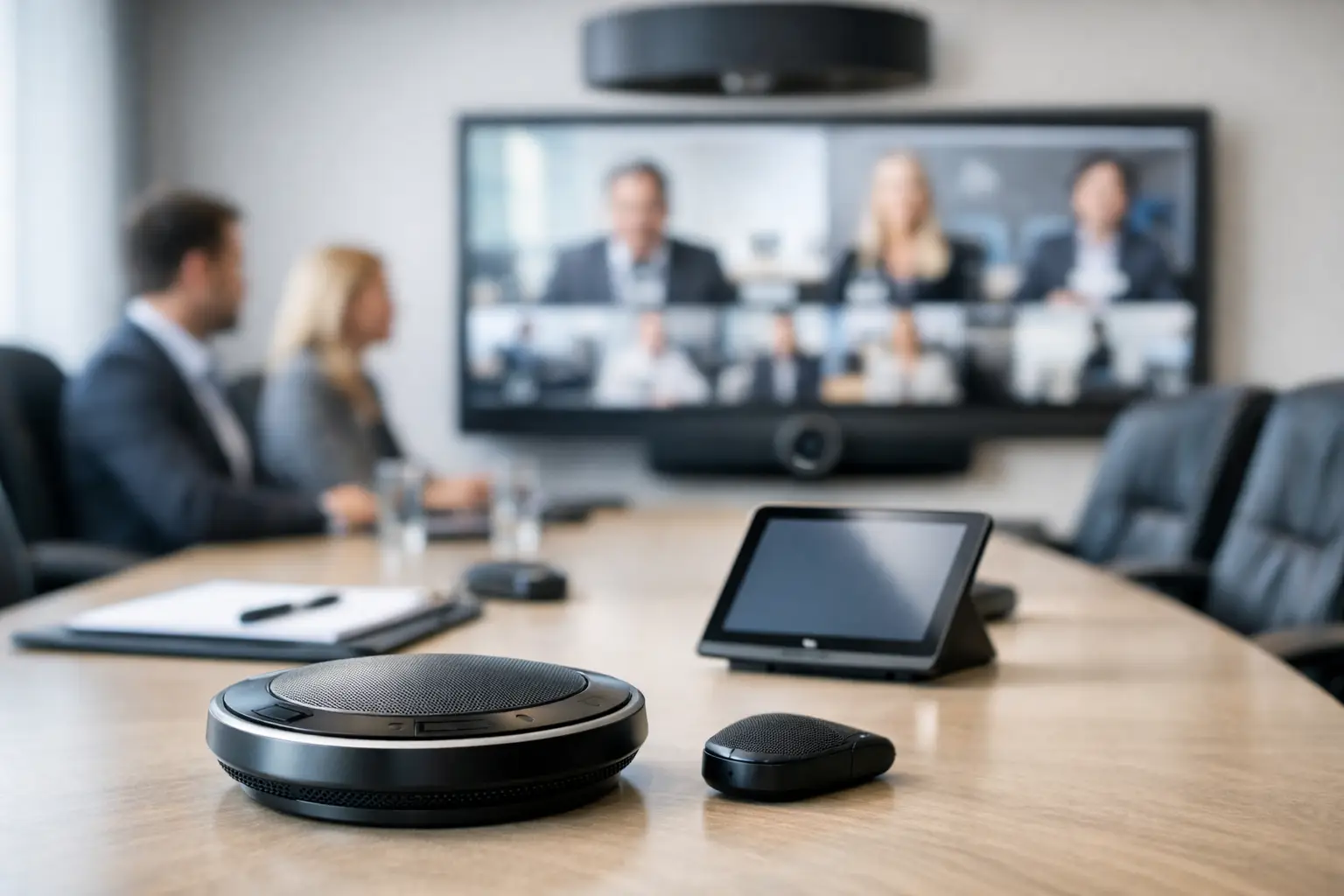
A meeting can look polished on screen and still fail in the first 30 seconds because nobody can hear properly. That is why audio solutions for conference rooms deserve more attention than they often get. When speech is unclear, remote participants switch off, in-room attendees repeat themselves, and simple meetings take longer than they should.
For most organisations, the problem is not a lack of equipment. It is a mismatch between the room, the way people use it, and the technology installed. A boardroom used for executive reviews has very different demands from a small meeting room used for quick hybrid catch-ups. Getting the audio right starts with understanding those differences rather than choosing products in isolation.
Why audio quality shapes the whole meeting experience
Conference room audio is easy to underestimate because people notice it most when it goes wrong. Video can freeze for a moment and a meeting may continue. Poor sound is less forgiving. If voices are muffled, too quiet, or inconsistent across the room, concentration drops quickly and discussion becomes harder to follow.
This matters even more in hybrid working environments. Remote participants rely entirely on the audio feed to understand tone, timing and contribution from everyone in the room. If only the person nearest the laptop microphone is audible, the meeting becomes biased towards whoever sits closest to the device. That is not just frustrating. It affects decision-making and participation.
Good audio also reduces the burden on internal IT teams and office support staff. Rooms that require constant volume adjustments, manual troubleshooting or workarounds waste time. Systems should work reliably in the background so users can focus on the meeting rather than the setup.
What good audio solutions for conference rooms actually involve
There is no single answer to conference room audio because room size, layout, acoustics and meeting style all influence the right design. The best audio solutions for conference rooms are usually built around a few core elements working together properly.
Microphones are a clear starting point. In smaller rooms, an all-in-one video bar with built-in microphones may be enough, provided the table position and room acoustics support it. In medium or larger spaces, dedicated table microphones, ceiling microphones or beamforming microphones often produce better coverage. The choice depends on whether people stay seated, move around, or present from the front of the room.
Loudspeakers matter just as much. If in-room attendees struggle to hear remote participants clearly, the meeting loses pace. In compact spaces, integrated speaker systems can perform well. In larger conference rooms or boardrooms, separate speakers positioned for even coverage are often the better option. Simply turning up the volume is rarely the fix if coverage is poor.
Digital signal processing sits behind much of the performance users experience. This is where echo cancellation, noise reduction, gain control and audio routing are managed. It is one of the least visible parts of the system, but it often makes the difference between sound that feels natural and sound that constantly distracts.
Room acoustics are not optional
A well-specified system can still underperform if the room itself is working against it. Hard surfaces, glass walls, open ceilings and minimal soft furnishings all affect speech intelligibility. Many modern offices look smart but create difficult acoustic conditions, especially in rooms designed with aesthetics ahead of usability.
This does not always mean major building work is needed. Sometimes sensible changes to microphone placement, speaker positioning or furniture layout can improve results significantly. In other cases, acoustic treatments are worth considering, particularly in high-value spaces such as executive boardrooms or client-facing meeting areas.
The key point is that audio should be designed around the real room, not an idealised floorplan. A conference room used daily by twelve people for hybrid meetings needs a different approach from one used occasionally for internal updates.
Matching the system to the room type
Smaller meeting rooms and huddle spaces typically benefit from simple, easy-to-use setups. If the room seats four to six people and meetings are short, a high-quality all-in-one device may be the most practical choice. It keeps the user experience straightforward and avoids overcomplicating the space.
Medium conference rooms often need more deliberate design. Once table length increases and participants sit further from the display, microphone pickup and loudspeaker coverage become harder to manage. This is where dedicated room audio can improve both call quality and consistency.
Boardrooms and larger collaboration spaces usually justify a more integrated solution. Meetings in these rooms often involve senior stakeholders, formal presentations and mixed in-room and remote attendance. Expectations are higher, and the cost of a poor experience is greater. In these environments, the focus should be on even voice pickup, discreet hardware integration and intuitive control.
Training rooms, divisible spaces and multi-purpose environments introduce another layer of complexity. The audio system may need to support different room configurations, presentation modes and occupancy levels. Flexibility is possible, but only if it is planned from the start.
Common mistakes when choosing conference room audio
One of the most common mistakes is buying around a platform or a preferred hardware brand without first assessing how the room is actually used. A device that performs well in one space may be the wrong fit in another. Product familiarity is helpful, but it should not replace room-specific design.
Another issue is underestimating the importance of pickup range. Built-in microphones are often expected to cover more distance than they realistically can. The result is predictable – those closest to the device sound clear, while everyone else fades into the background.
Rooms are also frequently designed with presentation in mind but not conversation. A display, camera and table may all be in place, yet no one has considered how remote participants will hear somebody speaking from the far end of the room or while standing near a whiteboard.
Ease of use is another area where projects can fall short. If users need several steps to start a meeting, change sources or resolve audio issues, adoption suffers. The best systems are technically sound but also simple enough for occasional users to operate confidently.
Why integrated design matters
Audio performs best when it is treated as part of the wider meeting room environment rather than a standalone purchase. Microphones, speakers, displays, cameras, control interfaces and video conferencing platforms all affect the overall experience. When they are designed together, the room works more predictably and requires less intervention.
This is particularly important for organisations standardising rooms across multiple sites. Consistency helps users move between offices without relearning technology each time. It also helps support teams maintain rooms more efficiently because system behaviour is more predictable.
A consultative approach is usually the most effective route. That means assessing room sizes, furniture layouts, meeting patterns, platform requirements and support expectations before specifying equipment. It may lead to different solutions across the estate, but those differences should be intentional, not accidental.
For many organisations, this is where working with a specialist partner adds value. TecInteractive, for example, focuses on usability as much as technical performance, which is often what determines whether a room delivers long-term value rather than becoming another support ticket.
What decision-makers should look for
If you are reviewing conference room audio, start with outcomes rather than hardware. Ask whether everyone can be heard clearly, whether remote participants are included properly, and whether the room works first time without specialist help. Those are stronger indicators of success than a spec sheet alone.
It is also worth considering lifecycle support. Audio systems are not static. Rooms change, platforms update and user expectations shift. A solution that works well today should also be maintainable and adaptable over time.
Finally, think beyond the flagship spaces. Organisations often invest heavily in one or two premium rooms while leaving everyday meeting spaces with inconsistent performance. In practice, staff judge workplace technology by the rooms they use most often. Reliability at scale usually matters more than isolated excellence.
The right audio solution does not need to feel complicated. It needs to make conversation clear, meetings easier to run, and hybrid collaboration less of a compromise. When that happens, the technology fades into the background, which is usually the best sign that it has been designed properly.