
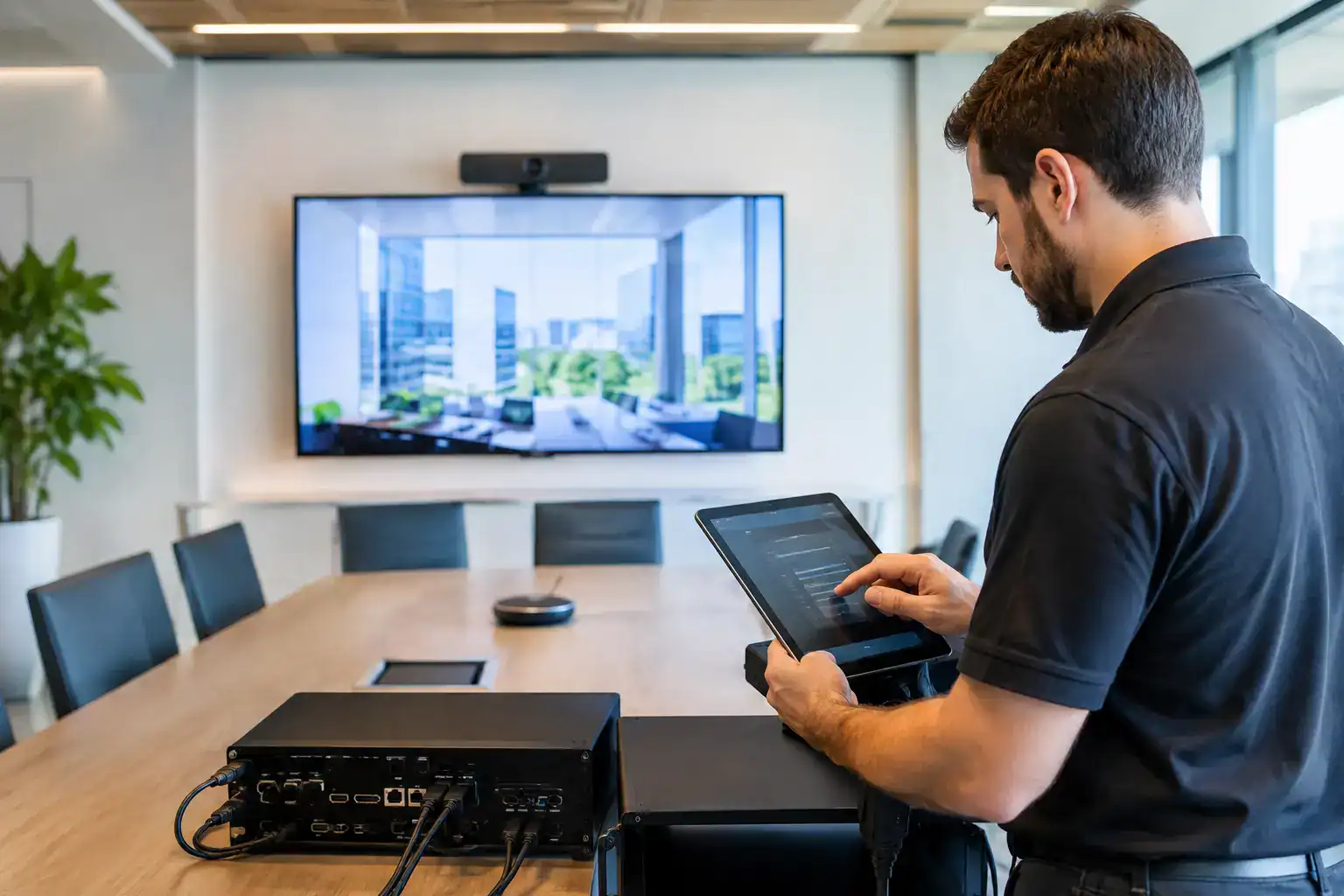
A meeting room can look finished long before it is ready for people to use. Screens may be mounted, cameras installed and cables concealed, but a room is only genuinely complete when every element works together reliably in a real meeting. That is where the AV commissioning process explained becomes essential. It turns an installed system into a dependable workplace tool that employees, visitors and IT teams can trust.
For organisations investing in hybrid meeting rooms, boardrooms, training suites or collaboration spaces, commissioning is not a final technical formality. It is the point at which the project is tested against the way people actually work. A well-commissioned room reduces failed calls, avoids last-minute support requests and gives users the confidence to start meetings without specialist help.
What AV commissioning means in practice
AV commissioning is the structured process of verifying, configuring, testing and documenting an audio-visual system after installation. Its purpose is to confirm that the design has been delivered correctly, every component performs as intended and the overall experience is straightforward for end users.
Installation focuses on putting equipment in place. Commissioning focuses on proving that it works as a complete system. That includes the display, camera, microphones, loudspeakers, control panel, video conferencing platform, network connection and room booking technology where applicable.
The distinction matters because modern meeting spaces rely on several technologies working in sequence. A camera may produce a clear image, for example, but the room will still fail the user if the selected video platform cannot access it, the microphone is muted by default or the display does not wake when someone enters.
Why commissioning affects workplace performance
A poorly commissioned room creates a familiar pattern: staff arrive for a meeting, attempt to connect a laptop, lose the first ten minutes to troubleshooting and then call IT. The equipment may not be faulty. More often, settings, interfaces or user workflows have not been properly validated.
Thorough commissioning protects against this by identifying issues while the installation team is still on site and the system can be adjusted efficiently. It also confirms that the room performs under realistic conditions, not merely when each device is tested on its own.
For IT and facilities teams, this reduces the operational burden after handover. For employees, it means a consistent experience across rooms. For senior stakeholders, it helps protect the return on investment in workplace technology.
The AV commissioning process explained step by step
The exact scope depends on the room type, technology stack and building environment. A small huddle space has different requirements from a divisible training room or executive boardroom. However, a professional commissioning process generally follows a clear sequence.
Confirming the installed system against the design
Commissioning begins with a review of what has been installed. The engineer checks that equipment matches the agreed design, is correctly positioned and has been connected according to the manufacturer requirements and project specification.
This includes practical details that can affect long-term reliability: cable labelling, ventilation around equipment, secure mounting, rack presentation, power distribution and access for future maintenance. A system may function on day one but remain difficult to support if these fundamentals have been overlooked.
The team also verifies that the installed technology is appropriate for the space. Camera framing, microphone placement and display sightlines should be reviewed from the perspective of people sitting in the room, not just from the equipment rack.
Configuring devices and control behaviour
Once the physical installation is confirmed, individual devices are configured to work as one environment. This could include assigning network settings, updating firmware, applying security credentials and connecting room hardware to the organisation’s chosen video conferencing platform.
Control programming is especially important. A user should be able to enter the room, begin a Teams or Zoom meeting, share content and adjust simple settings without navigating unnecessary menus. The interface needs to reflect the room’s intended use rather than expose every technical option available.
There is a balance to strike here. More advanced control can be useful in a boardroom with multiple presentation sources, lighting scenes and video conferencing modes. In a standard meeting room, however, a simpler experience is usually more valuable. The best approach depends on the users, their meeting formats and the level of in-house technical support available.
Testing audio, video and content sharing
System testing is where commissioning moves beyond configuration. Engineers test every expected function, then test how functions behave together. Audio is assessed for speech clarity, microphone coverage, echo cancellation, feedback risk and consistent volume across the room.
Video testing checks camera image quality, framing, presets, display resolution and source switching. Content sharing is tested from the devices and connection methods employees will actually use, whether that is a room PC, wired laptop connection, wireless presentation solution or USB-C connection.
For hybrid spaces, the remote participant experience deserves particular attention. A room may sound acceptable to people seated at the table while being difficult to follow for colleagues joining remotely. Commissioning should therefore include test calls that assess both sides of the conversation. Can remote participants hear quieter speakers? Is the camera angle useful? Does shared content remain legible? These are the details that determine whether hybrid collaboration feels productive or frustrating.
Validating network, platform and security requirements
Most workplace AV now relies on the corporate network. Commissioning must confirm that devices can reach the required services, receive updates and operate without compromising security policies.
This may involve close coordination with the client’s IT team. Network access, VLAN allocation, device certificates, firewall rules and conferencing platform permissions can all affect whether a room functions correctly. These items are sometimes treated as minor prerequisites, but they can become the main cause of delay if they are not agreed early.
A good delivery partner plans for this dependency rather than discovering it during the final days of a project. Where access cannot be completed before installation, the team should clearly identify the remaining actions, ownership and impact on final acceptance.
Running user acceptance testing
Technical checks alone are not enough. User acceptance testing gives nominated client stakeholders the opportunity to confirm that the room works for their day-to-day needs.
A practical test might involve joining a scheduled video call, presenting from a laptop, using the room camera and microphones, inviting a remote participant and ending the meeting. In more complex spaces, it may include changing room layouts, operating multiple displays or testing audio coverage across seating zones.
This stage is valuable because it exposes usability issues that are easy to miss from an engineering perspective. A button label may be technically accurate but unclear to a first-time user. A camera preset may suit the table layout on paper but exclude someone seated at the end of the room. Small refinements at this point can prevent repeated support calls later.
Handover is part of commissioning, not an afterthought
A room is not fully commissioned until the people responsible for using and supporting it know what has been delivered. Handover should provide clear documentation, relevant training and an agreed route for ongoing support.
Documentation commonly includes system drawings, equipment schedules, configuration records, test results and instructions for basic operation. The level of detail should suit the audience. IT teams may need technical information for administration and troubleshooting, while end users need concise guidance on starting calls, sharing content and getting help.
Training should reflect the reality of the workplace. A short, role-specific session for reception teams, office managers or executive assistants can be more effective than a broad technical presentation. The objective is not to turn every employee into an AV specialist. It is to make common tasks feel familiar and low-risk.
Common commissioning issues and how to avoid them
The most disruptive commissioning problems are often preventable. Network access not being ready, late changes to furniture layouts, unconfirmed conferencing accounts and incomplete electrical works can all hold up final testing.
Early engagement between AV, IT, facilities, construction and workplace teams is the most reliable way to reduce these risks. Each group owns part of the finished experience. AV equipment cannot compensate for poor acoustics, an unsuitable table position or a network policy that prevents conferencing devices from operating.
It is also worth allowing enough time for testing. Compressing commissioning to meet an opening date may appear efficient, but it can simply transfer risk into the first weeks of occupation. For critical spaces, phased testing and a period of post-handover support may be the better commercial decision.
What good commissioning looks like after go-live
The clearest sign of successful commissioning is uneventful use. Meetings start on time, users understand the controls and IT teams are not repeatedly asked to resolve the same room issues. That does not mean no support will ever be needed. Technology, room layouts and conferencing platforms change. It means the system begins life on a stable, properly documented foundation.
For organisations planning new collaboration spaces, commissioning should be treated as a defined project stage with clear acceptance criteria, not as a final box to tick. Working with a partner such as TecInteractive can bring design, installation, training and support into one accountable delivery model, making it easier to protect that standard over time.
The most effective meeting rooms do not draw attention to their technology. They allow people to focus on the conversation, the decision and the work that follows.