
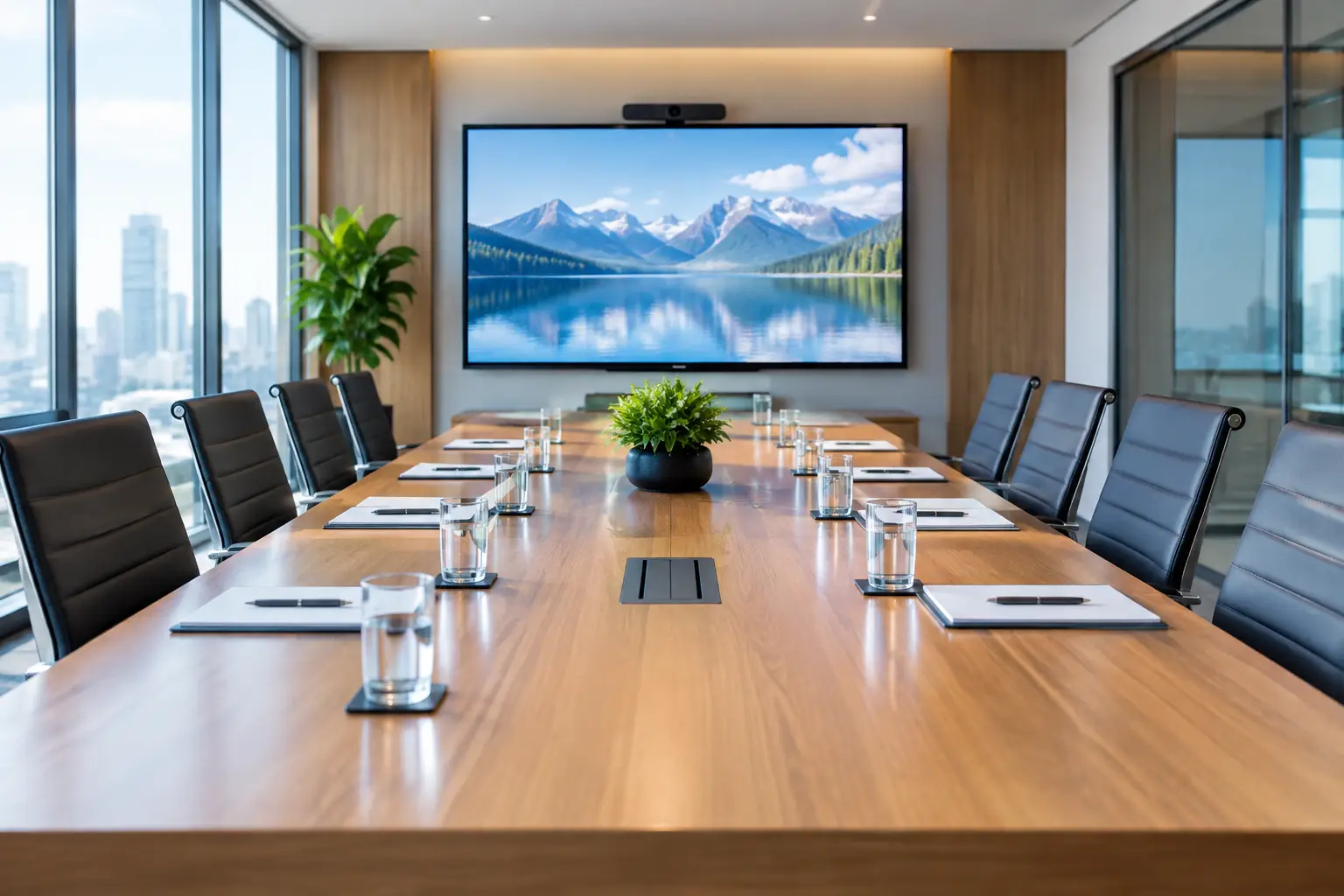
A board presentation can lose credibility before the first slide is discussed. A screen that is too small, a remote director who cannot be heard, or a presenter searching for the right input can distract from decisions that matter. The best boardroom presentation setup ideas begin with the meeting experience, then select technology that supports it consistently.
For most UK organisations, the boardroom must now serve more than formal leadership meetings. It may host investor updates, client presentations, recruitment interviews, strategy sessions and hybrid meetings with teams across multiple sites. The right setup should make each of those uses feel straightforward, without creating extra work for IT or facilities teams.
Start with the decisions the room needs to support
A boardroom is not simply a larger meeting room. The technology should reflect the value and sensitivity of the conversations taking place there. Before specifying displays, cameras or microphones, establish how the room is used, who attends, where they join from and what content they need to see.
A leadership team reviewing detailed financial models has different requirements from a room used mainly for client pitches. Likewise, a 20-seat room with participants joining from home needs a different camera and audio design from a six-seat executive space used mostly in person. This early assessment prevents a common mistake: installing impressive equipment that does not fit the room’s working reality.
It is also worth agreeing what a successful user experience looks like. A useful benchmark is that a host can enter, start a video call, share content and adjust basic settings without specialist knowledge or a support call.
1. Size the display around sightlines, not assumptions
The display is usually the most visible part of a boardroom presentation setup, but the biggest screen is not automatically the best answer. Every attendee should be able to read key content from their normal seated position, including spreadsheet headings, presentation footnotes and video-call participant names.
Room depth, table shape, seating position, lighting and viewing angles all affect the specification. A large format display can be highly effective in a typical boardroom, while an LED video wall may be justified in a larger executive suite, auditorium-style space or client briefing centre. LED delivers scale and visual impact, but it also requires a considered design, appropriate viewing distance and a clear maintenance plan.
Where detailed material is regularly reviewed, two displays can be more practical than one. This allows a video meeting to remain visible while a presentation, dashboard or document is shared alongside it. The trade-off is additional cost and more wall space, so it should solve a genuine workflow need rather than be added for appearance alone.
Plan for light, reflections and camera framing
Glare can make an excellent display difficult to use. Position screens away from direct daylight where possible, and include suitable window treatments and controllable lighting in the room design. The display wall should also give the camera a clean, professional background. Avoid placing it where bright windows sit behind in-room participants, as this can leave remote attendees looking at dark silhouettes.
2. Treat remote participants as active contributors
Hybrid meetings fail when people joining remotely are treated as spectators. They need to see who is speaking, hear natural conversation and follow shared content without being asked to repeat questions. That calls for a coordinated camera, microphone, speaker and video platform design rather than separate devices placed around the room.
An intelligent camera with speaker tracking or automatic framing can improve the experience in a larger room. It should be tested in the actual space, however. Tracking can be useful during formal presentations, while a wider group view may feel more natural for discussion-led meetings. Camera placement matters just as much as camera capability. A poorly positioned camera creates unflattering angles and makes eye contact harder.
Audio deserves particular attention. Ceiling microphone arrays can provide discreet coverage and keep the table clear, while table microphones may suit rooms where maximum voice pickup or a more formal conference environment is required. The best choice depends on ceiling height, room acoustics, table layout and how flexible the furniture needs to be.
Acoustic treatment is often overlooked. Hard surfaces, glass walls and exposed ceilings can create echo that no microphone setting can fully correct. Simple measures such as acoustic panels, soft furnishings and sensible speaker positioning can make speech clearer for both sides of the call.
3. Give presenters one predictable way to share content
A boardroom should not require a different process for every presenter. Provide a clear, consistent method for sharing from a laptop, whether that is wireless presentation, a wired USB-C connection or both. Wired sharing remains valuable for critical meetings because it offers dependable performance and charging in one connection. Wireless sharing is convenient for quick collaboration and guests.
Offering both approaches is often the most practical option, particularly in rooms used by executives, visitors and external advisers. The important detail is not the number of connection methods. It is that users understand which one to use and can see its status immediately.
For meetings involving confidential material, consider how guest access is controlled and how content is removed after a session. Network security, device policies and room-system permissions should be planned with the organisation’s IT standards, rather than treated as a later addition.
4. Make room control simple enough to use under pressure
A polished boardroom can still create frustration if starting a call takes several minutes. The room control interface should reduce choices to the actions people perform most often: join a scheduled meeting, start an ad hoc call, share a screen, control volume and request help.
A touchscreen controller can present these actions clearly, while the more complex switching and configuration remains in the background. Consistent layouts across meeting rooms are especially valuable in multi-site organisations. Staff should not have to learn a new control system each time they enter a different room.
Avoid over-designing the interface. Features such as lighting scenes, blinds and source routing can be useful, but they should not obscure the main meeting controls. A good test is whether a first-time visitor could join a video meeting after a brief prompt from the display.
5. Design the table and furniture around the technology
Technology works best when it is considered alongside furniture and room layout. A long table may look appropriate for a traditional boardroom, but it can place people at awkward viewing distances and make conversations with remote participants feel fragmented. Curved, boat-shaped or modular tables can improve sightlines and create a more inclusive camera view.
Cable management is equally important. Power and data access should be available where people sit, without trailing leads across a premium meeting space. Table boxes can be useful, although too many visible connections quickly make a room feel dated. In some cases, a combination of discreet charging, wireless sharing and one accessible wired presentation point is the cleaner solution.
Leave adequate space around chairs and behind the table for access, servicing and camera coverage. This becomes particularly important in rooms that need to meet accessibility requirements or regularly host external visitors.
6. Build reliability into the operating model
The most successful boardroom systems are supported as an operational service, not treated as a one-off installation. Equipment should be selected for professional use, configured consistently and documented properly. Users need short, role-relevant training, especially executive assistants and office teams who may be the first to prepare a room before a high-stakes meeting.
Remote monitoring can identify faults early, while responsive support gives internal teams a clear route for help when an issue cannot wait. It is sensible to agree who owns first-line checks, how faults are reported and what response is expected. A spare cable is useful, but it is not a support strategy.
TecInteractive approaches this through consultation, bespoke design, installation, training and ongoing support, helping organisations create rooms that remain usable after handover rather than becoming another burden for internal IT.
7. Match the setup to the boardroom’s primary role
The best boardroom presentation setup ideas are not a fixed shopping list. A client-facing briefing room may prioritise visual impact, flexible presentation options and a considered backdrop. A governance-focused boardroom may place greater emphasis on secure content sharing, speech intelligibility and simple video conferencing. A multi-site executive room may need platform consistency and reliable remote support above all else.
Budget should follow these priorities. Invest first in the elements that people use in every meeting: screen visibility, audio clarity, camera framing, room control and support. Decorative features and advanced automation can add value, but only after the basics are dependable.
A well-planned boardroom should let people focus on the discussion, not the technology. When the display is easy to read, every voice is clear and presenting takes seconds, the room quietly supports better decisions – which is exactly what it is there to do.