
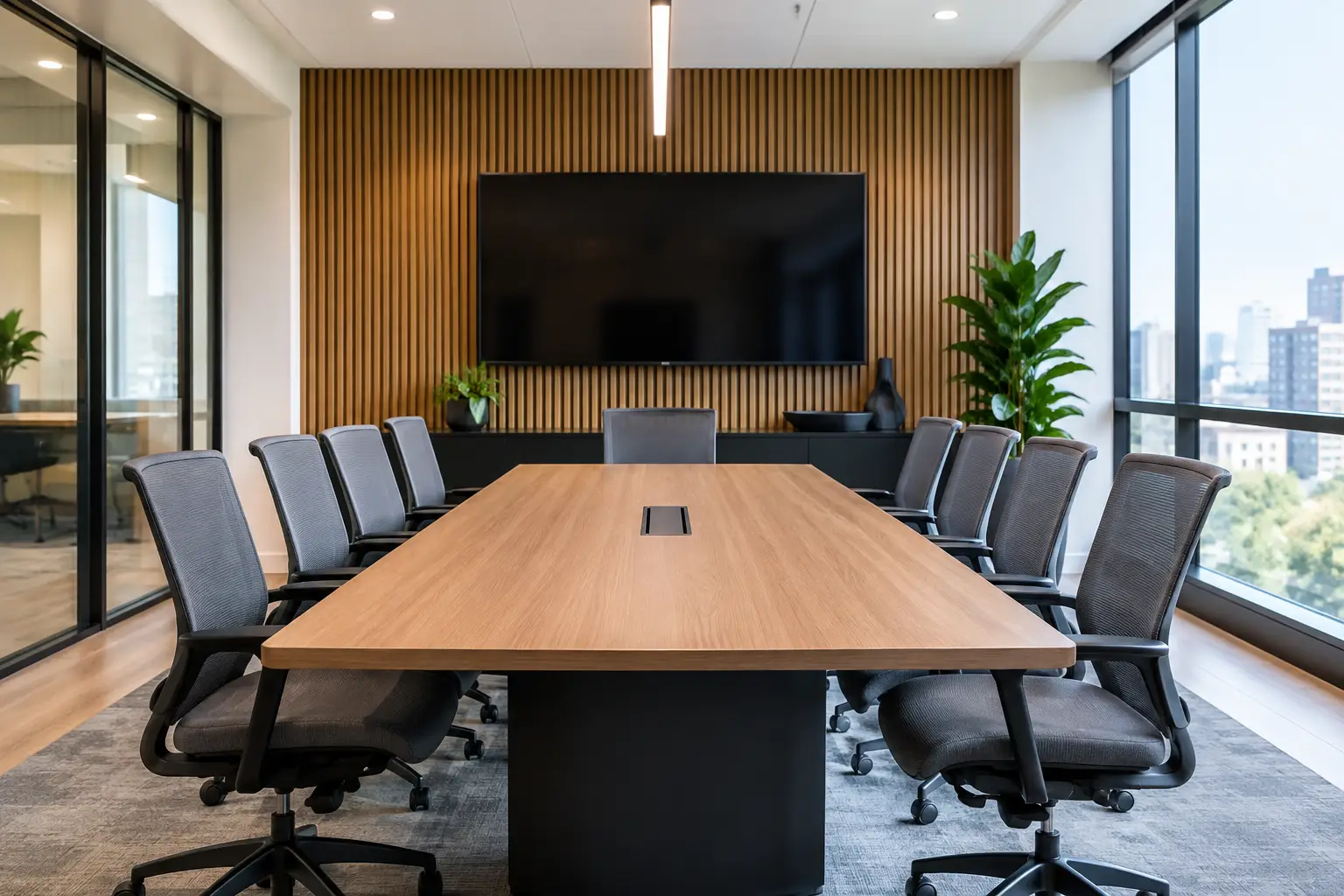
A 12-seat conference room can look perfectly serviceable and still fail every hybrid meeting. The display may be too small for shared content, remote participants may struggle to hear side conversations, and staff may need three attempts to start a call. This conference room retrofit example shows how an existing space can be made reliable, intuitive and fit for modern collaboration without the cost and disruption of a full room rebuild.
The scenario is representative of a common UK workplace challenge: a meeting room installed several years ago, using technology that still functions but no longer meets the expectations of hybrid teams. The objective is not to add technology for its own sake. It is to give every meeting a dependable starting point, improve the experience for remote attendees and reduce the support burden placed on internal IT.
The starting point: a room that worked, but not well enough
The room was used for client meetings, leadership discussions and project workshops. It had a single wall-mounted display, a basic video bar, a table connection for presentations and a separate control panel. On paper, the setup covered the essentials. In practice, the user journey was fragmented.
Employees connected laptops using different adapters. Calls were launched from personal devices, so camera and audio settings varied from one meeting to the next. The camera gave remote participants a wide view of the table but made faces appear small, particularly when people were seated at either end. Acoustic treatment was limited, which meant voices sounded distant when the room was busy.
The organisation also had a familiar operational problem: meetings frequently began with a call to IT or a colleague who happened to know the room. This was not a failure of the people using the space. It was a sign that the room had been designed around equipment rather than the way meetings were actually run.
Conference room retrofit example: defining the right outcome
Before selecting equipment, the project team assessed the room, its primary meeting types and the organisation’s chosen collaboration platform. That discovery stage matters because the right retrofit for a boardroom is not necessarily right for a training suite or a small huddle room.
For this room, the agreed outcomes were clear. Users needed to enter, join a scheduled video meeting with minimal steps, share content wirelessly or by cable when needed, and be heard clearly from every seat. Remote attendees needed a more natural view of those in the room. Facilities and IT teams needed central visibility, consistent operation and a supportable system.
The retrofit also had to work around existing constraints. The room was in daily use, the furniture was staying, and the installation window was limited to evenings and a weekend. Reusing suitable infrastructure, including parts of the existing containment and display mounting location, helped control cost and reduced waste. However, retaining equipment simply because it was already in place was not treated as a goal. The decision was based on usability, condition and compatibility.
The retrofit design
The new design centred on a dedicated room video conferencing system configured for the organisation’s preferred platform. This gave staff a consistent join experience from the room touch controller, rather than relying on a different laptop and cable arrangement each time.
A larger commercial display was installed to make shared spreadsheets, presentations and video participants easier to see from the rear seats. In some rooms, a second display is justified, especially where teams regularly need to view people and content at the same time. Here, room size and viewing distances meant one appropriately specified display provided the best balance of cost, wall space and practical benefit.
The camera was upgraded to provide intelligent framing and better image quality. That does not mean automated framing is always the right answer. In rooms with frequent whiteboard sessions or formal presentations, camera presets and a more controlled field of view may be preferable. For this space, the system was configured to keep active participants visible while avoiding distracting camera movement.
Audio received equal attention. The video bar alone was not enough to provide consistent pickup across the full table, so additional table or ceiling microphones were considered as part of the design. The selected approach improved voice clarity without creating a cluttered tabletop. Audio processing was tuned during commissioning to manage echo, background noise and the room’s reflective surfaces.
Content sharing was simplified through a combination of wireless presentation and a clearly labelled wired connection. This gave guests and staff a practical fallback if wireless access was restricted by policy or network conditions. The important detail was consistency: the same process would apply each time, with straightforward on-screen guidance rather than a laminated instruction sheet that quickly became out of date.
Making the room easier to operate
A good retrofit should remove decisions from the meeting organiser. The room controller presented only the functions users needed: join, share, adjust volume, end call and request help. Advanced controls were available to authorised support teams but not placed in front of every user.
The interface also used plain language. Terms such as “Start meeting” and “Share content” are more useful than manufacturer-specific labels. Small choices like this reduce hesitation, particularly for visitors and occasional users.
The room was integrated with the organisation’s calendar and room booking workflow. Staff could see availability before arriving, and the room displayed the next scheduled meeting locally. Depending on the wider workplace strategy, this can be extended with booking panels outside the room, occupancy data and automatic release of unused bookings. Those additions are valuable where room availability is a persistent issue, but they are not essential to every retrofit.
Installation with minimal disruption
A retrofit often takes place in a live workplace, so delivery planning is as important as the technical design. The integrator surveyed cable routes, power, network provision, wall construction and sightlines before installation. This identified issues early, including whether the existing network switch had sufficient capacity and whether cabling could be reused safely.
Work was scheduled outside core hours, with the room returned clean and ready for use before the next working day. Existing equipment was removed responsibly, and the installation team tested every component before handover. That includes video calls, content sharing, audio pickup, display behaviour, control functions and recovery after a power or network interruption.
Commissioning should reflect real meeting conditions rather than a quick check that the screen turns on. Testing from each seat, joining calls with external participants and checking the experience of both in-room and remote users exposes problems that bench testing can miss.
What changed after the retrofit
The most immediate improvement was meeting start time. Staff no longer needed to identify the right cable, select a laptop audio device or ask who had used the room before. Scheduled meetings could be joined from the controller, while ad hoc content sharing remained straightforward.
Remote participants reported clearer speech and a more useful view of the room. In-person attendees could read shared materials without leaning forward or asking presenters to enlarge everything. These are modest changes individually, but together they reduce friction across hundreds of meetings over a year.
The IT team also gained a more manageable environment. Standardised room technology is easier to support than a collection of one-off setups. Remote monitoring, where included, can help support teams identify device status issues before a meeting is affected. It does not remove the need for responsive support, but it gives teams better information and reduces avoidable call-outs.
For organisations with multiple sites, this model can become a template. The aim is not to make every room identical regardless of purpose. It is to create a recognisable user experience while scaling specifications for room size, acoustics, meeting style and budget.
Decisions that determine retrofit value
The strongest conference room retrofits begin with how the space is used, not a product list. A room used mainly for one-to-one calls needs different camera and microphone coverage from a room hosting executive presentations or cross-site workshops. Equally, an organisation with a settled video conferencing platform should normally prioritise native, dependable integration over unnecessary flexibility.
It is also worth considering the full lifecycle cost. A lower initial price can be outweighed by complicated operation, unsupported equipment or repeated IT intervention. Conversely, replacing every component may not be necessary if elements such as displays, furniture or infrastructure remain suitable. A practical survey and clear success criteria provide the evidence needed to make those decisions with confidence.
TecInteractive approaches these projects as workplace improvements rather than equipment swaps. Consultation, bespoke design, installation, user guidance and ongoing support all contribute to whether the room performs well after handover.
The best test is simple: when a meeting starts, do people focus on each other or on the technology? A well-planned retrofit gives them every reason to focus on the conversation.